
Hearth
A family calendar for the kitchen wall, on hardware you own. Power on, wall calendar. No login screen, no desktop underneath, no account, no subscription, and nothing leaves the house except the calls to your own iCloud.
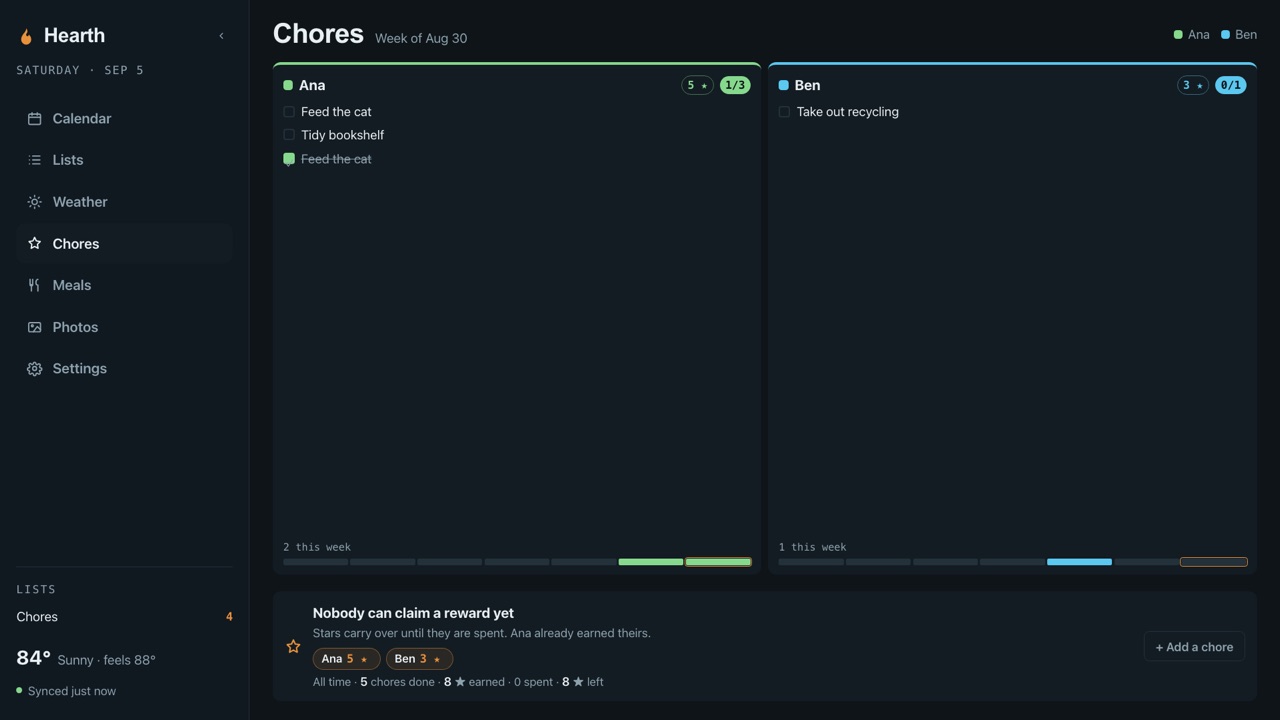
Everything the subscription displays do. None of the subscription.
Hearth was built because the commercial wall calendars wanted a monthly fee, an account, and a copy of the family's data. It does the same job from a Raspberry Pi in the kitchen.
Calendar
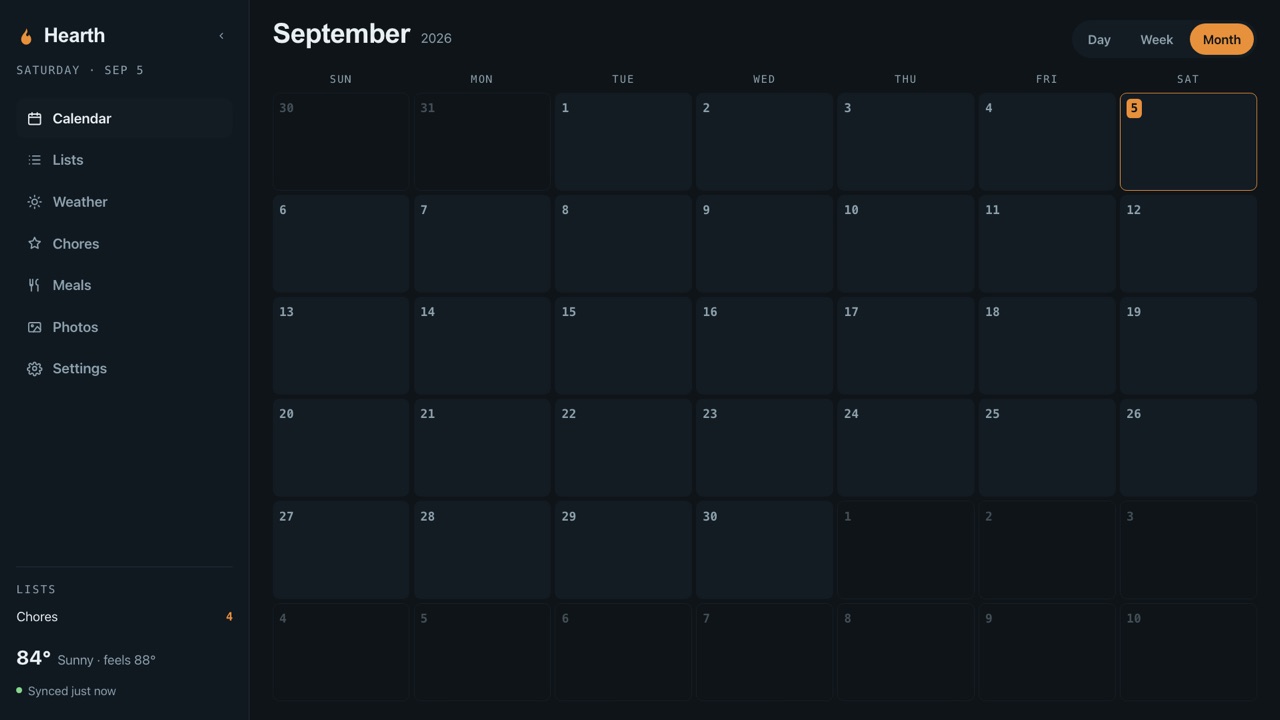
Month, week, and day. Per-person colour coding, with any iCloud calendar assignable to a person. Tentative events shown or hidden as you prefer.
Chores and stars
One Reminders list, one section per child. Tapping a chore completes it on every device in the house and creates tomorrow's occurrence. Stars are earned by priority and spent from a rewards list you edit from any phone.
Lists
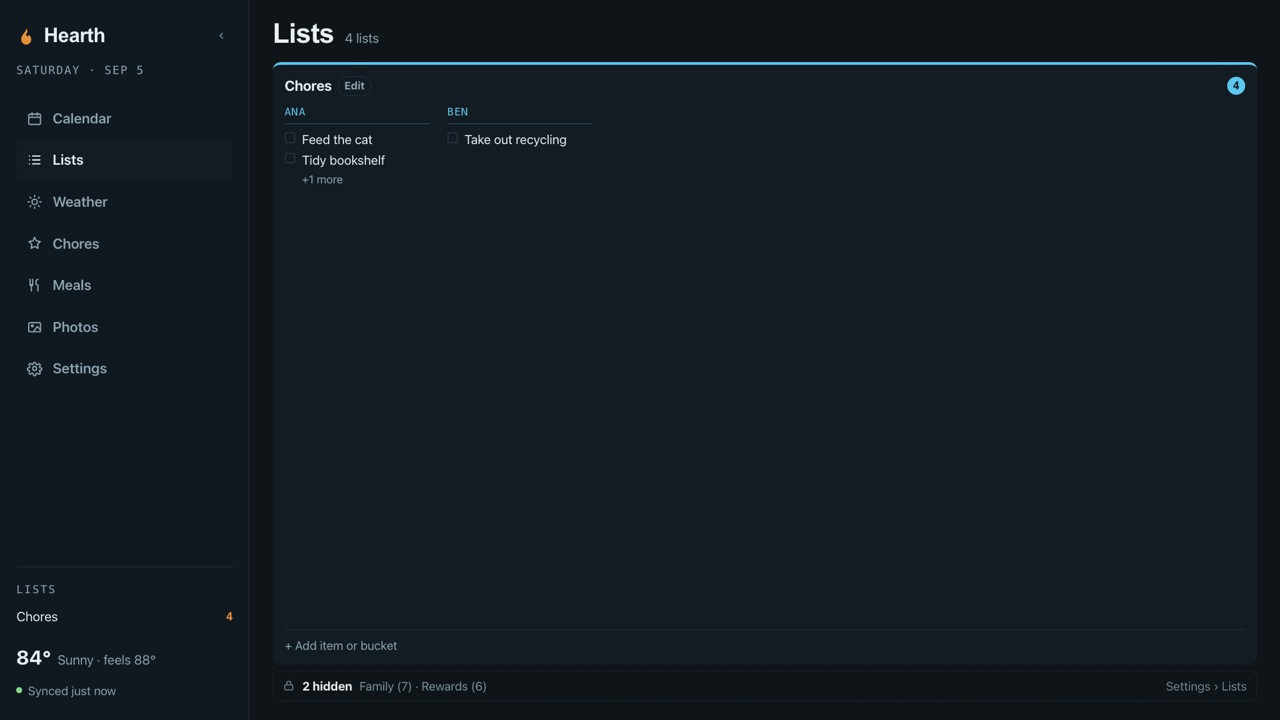
Your Reminders lists, colour-coded, keeping their sections and subtasks, with due dates and notes. Add an item from the wall or from any phone.
Meals
A week grid driven from a calendar you already use. Add "Dinner - pizza" to it from any device and it lands in the right slot.
Photo screensaver
An iCloud Shared Album, pulled down and pre-scaled. Portrait photos shown whole against a blurred copy of themselves. Clock, date, next event, and a daily verse drift so nothing burns in.
Weather
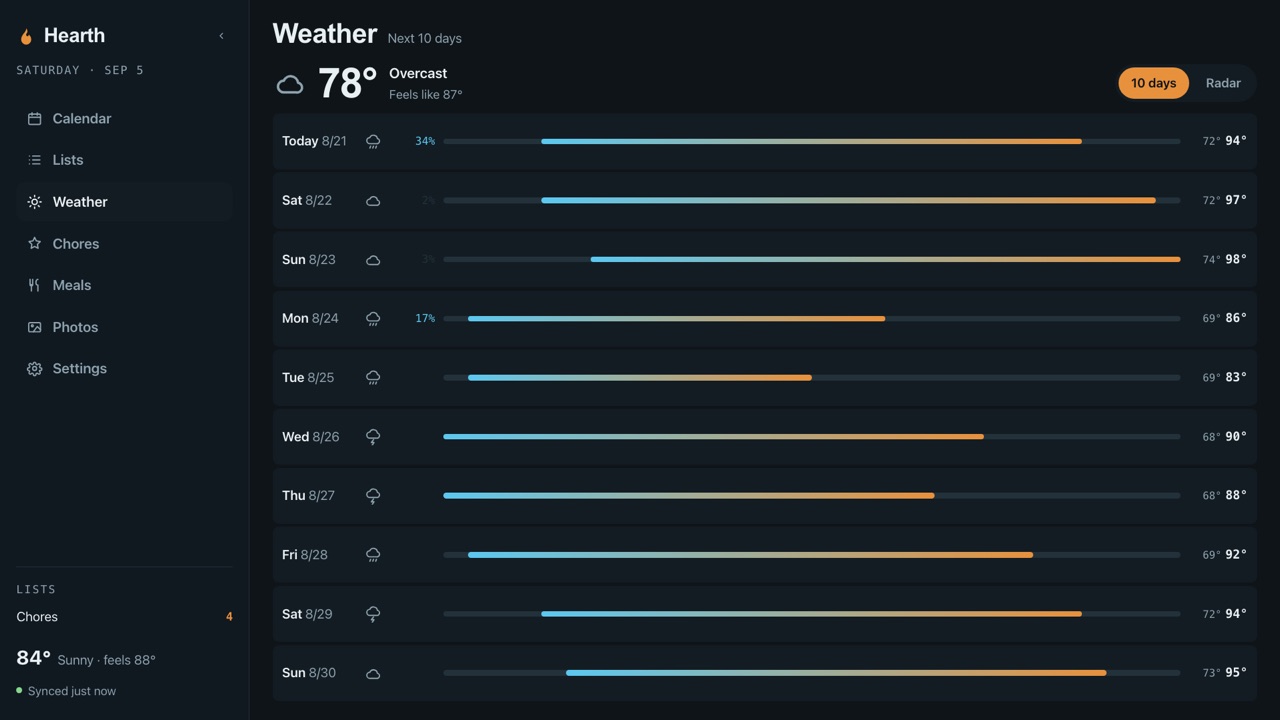
A 10-day forecast blended from three models by median, so one model having a strange day cannot move the number. Live radar a tap away.
One panel. Three places to put it.
Hearth runs on a Raspberry Pi, an Android tablet, and an iPad. They share exactly one thing: the panel. What feeds it differs by platform, and the trade-offs are spelled out here rather than discovered later.
Raspberry Pi
The reference build. A Raspberry Pi 4 driving a 1080p touchscreen, syncing calendar, reminders, and photos straight from iCloud.
- Blank SD card to working panel with the install guide.
- Full chores with a section per child.
- Boots into the calendar. No desktop, no login.
Android tablet
The same panel on a tablet. As a satellite it pairs to your Pi and shows what the wall shows. Standalone, it runs the Hearth engine on the tablet itself.
- Stays awake, stays fullscreen, comes back when the network drops.
- Satellites can tick chores and add list items, and cannot touch settings.
- Any Android tablet, no Pi required.
iPad
Hearth with nothing behind it. The iPad reads your calendar and reminders through Apple's own on-device permissions and draws the same panel.
- Sign-in is a permission prompt. No password ever touches the app.
- Chores use one list per child, because Apple's public API has no sections.
- Works with Advanced Data Protection turned on.
Built for a wall, read from across the room.
The honest page.
The things we would want to know before spending a Saturday on it.
- It is for Apple households.
- Hearth syncs iCloud calendars, Reminders, and Shared Albums. If your family lives in Google Calendar, this is not the right tool yet.
- The Pi build uses Apple's web interface, not a public API.
- That is what makes sections, shared albums, and completions from the wall possible. It also means Apple can change things under us. The iPad build uses only public APIs and has fewer features for exactly that reason.
- Advanced Data Protection.
- With ADP turned on, Apple's web interface cannot read Reminders or Photos, so the Pi build loses those two. The iPad build is unaffected.
- Your credentials stay home.
- On the Pi, your Apple ID session lives encrypted on the SD card and talks only to Apple. Nothing is sent to Freedom Forge. There is no telemetry.
- Licence.
- Apache-2.0 with the Commons Clause. Free to use, modify, and share; not for resale as a hosted service.
- Hardware we run it on.
- Raspberry Pi 4, an 18.5-inch 1080p touchscreen, and a wall mount. The install guide lists what we used and what to avoid.
Questions, bugs, or a Pi that will not boot.
Email hello@freedomforge.dev and the person who built it will read it. Once the source is public, issues on GitHub are the best place for bugs.